
Remote Property Management Tech: How Many Units Do You Need to Justify Automation?
Most owners can justify automation at 50 to 75 units, and the case gets strong past 100 units. At that size, remote property management tech replaces enough manual hours to cover its monthly cost. The exact number depends on your labor rate, occupancy, and how far the site sits from your home. A site with high payroll and low walk in traffic breaks even sooner than a busy site with cheap staff.
Software alone does not set the answer. Online rentals, autopay, access control, and cameras each carry their own payback timeline. This guide gives you unit count thresholds, cost math, and a rollout plan. Use it to match your site size to the right level of automation.
| Facility Size | Recommended Automation | Labor Saved (Rough) | Typical Payback |
| Under 50 units | Online rentals, autopay, tenant portal | 5 to 8 hours per week | 6 to 12 months |
| 50 to 100 units | Above, plus keypad gate access and delinquency automation | 10 to 15 hours per week | 5 to 10 months |
| 100 to 250 units | Above, plus rental kiosk, smart locks, and dynamic pricing | 20 to 30 hours per week | 4 to 8 months |
| 250 to 500 units | Unmanned site or single virtual manager setup | 30 to 40 hours per week | 3 to 6 months |
| 500+ units or multiple sites | Central dashboard, portfolio reporting, call center support | Replaces one or more full time roles | 2 to 5 months |
Self Storage Management Software Break Even Math
Start with your current labor cost. Add every hour spent on rentals, payments, gate issues, and late notices.
Here is a simple example:
- Part time site help: 20 hours per week at $16 per hour, or about $1,390 per month
- Software and gate access: roughly $300 to $600 per month
- Net savings: $790 to $1,090 per month
Facilities that adopt Remote Property Management Tech often reach this break even point before they hit 75 units. Savings grow with occupancy, because each new tenant adds almost no admin time.
Do not stop at payroll. Count missed rentals from after hours calls, late fee leakage, and the drive time you spend on site visits.
Self Storage Management Software Features That Pay Off
Not every feature earns its place at every size. Start with the ones that remove daily tasks.
Online Rentals and Electronic Lease Signing
Tenants reserve a unit, sign the lease, and pay from a phone. This captures leads at night and on weekends, when most searches happen.
Autopay and Payment Reminders
Automatic card and ACH billing cuts late payments and phone calls. Text reminders handle the rest before a balance grows.
Delinquency Management Workflows
Good software sends late notices, adds fees, and blocks gate access on a set schedule. It also logs each step required before a lien sale, so your records stay clean.
Dynamic Pricing and Occupancy Reporting
Rate tools adjust street rates based on occupancy and demand. Reports show revenue per available foot, move in trends, and aging balances without a spreadsheet.
Unmanned Self Storage Facility Hardware
Software handles the paperwork. Hardware handles the property.
- Keypad or mobile gate access: Each tenant gets a unique code tied to payment status.
- Smart locks and door sensors: These control unit entry and alert you to forced access.
- Rental kiosks: A walk in customer can sign, pay, and buy a lock without staff.
- IP cameras with cloud storage: Footage plays back from any device.
Hardware costs more up front, so it usually makes sense at 100 units or above. Smaller sites can start with software only and add gates later.
Remote Property Management Tech for Multi Facility Owners
Scale changes the math. Owners with several sites gain the most from remote property management tech because one login replaces many site visits.
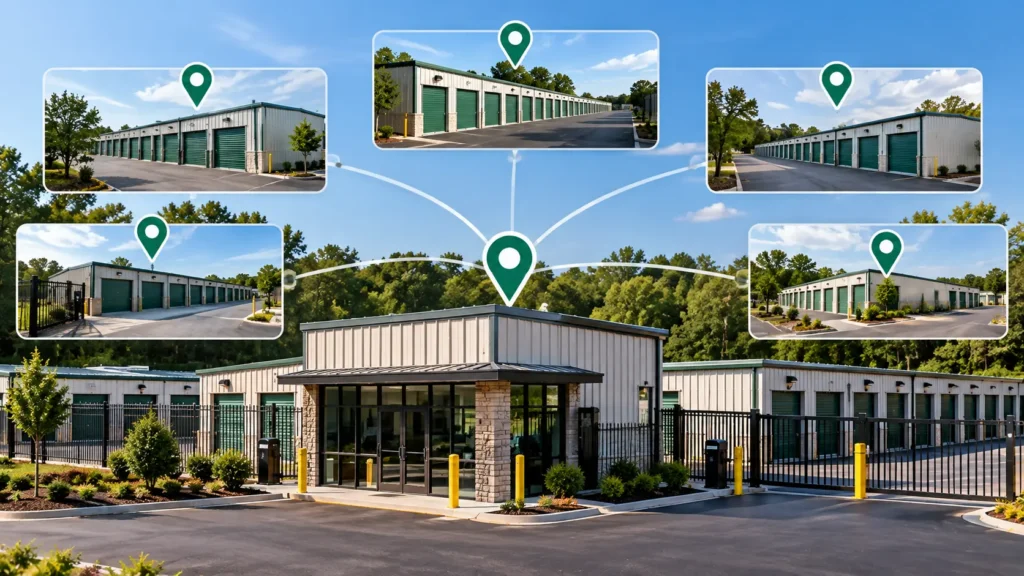
A central view lets you compare occupancy, delinquency, and street rates across every location. You can also assign one virtual manager to cover a region. Quality stays steady while payroll stays flat.
Third Party Management vs Self Management
Some owners skip the software decision and hire a management company. That path trades control for convenience. Review the tradeoffs in this breakdown of third party self storage management versus managing it yourself before you commit.
Automation often lets an owner keep control without adding staff. That protects net operating income and keeps management fees off the books.
Self Storage Dashboard Workflows
A clean dashboard shows alerts first and reports second. Set up these daily checks:
- Overdue accounts and pending lockouts
- New reservations and move ins
- Gate or door alarms
- Unit availability and vacant unit pricing
For a walkthrough of these screens, see how to manage storage units and tenants through a dashboard. Ten minutes each morning replaces hours of calls and paper checks.
Storage Software Examples and Vendor Checks
Platforms differ in their strengths. Some lead in gate integrations. Others lead in marketing tools or web based rentals.
Review these examples of storage software to compare feature sets and pricing models. Ask every vendor these questions:
- Which gate, lock, and camera brands do you integrate with?
- Who handles data migration from my current system?
- Can I export tenant records if I leave?
- Is onboarding and phone support included?
Local Market Factors
Your market shapes your timeline. Rural sites in Texas and across the Sunbelt often face long drive times and thin staffing pools. Automation pays off faster there.
Dense metro markets bring tougher competition and higher wages. Owners in those areas gain from dynamic pricing and fast online rentals. Many start with cloud based self storage management software for Texas and Florida operators and add gate and kiosk hardware later.
Automation Rollout Plan
Follow these steps to avoid costly mistakes:
- Audit your hours. Track every manual task for two weeks.
- Set a payback target. Most owners aim for under 12 months.
- Pick software first. Confirm it supports your gate and camera brands.
- Move tenants in phases. Start with autopay enrollment and the tenant portal.
- Add hardware last. Install keypads and kiosks once billing runs smoothly.
- Review monthly. Compare labor hours and collections against your baseline.
The 6Storage platform supports this phased approach, so you can grow at your own pace.
FAQs
What is the minimum number of units for automation?
There is no hard minimum, but 50 units is a practical starting point. Below that, basic tools like online payments still help. Full gate and kiosk systems rarely pay off at that size.
Can a self storage facility run without any on site staff?
Yes, many facilities run unmanned with kiosks, keypad gates, and cameras. You still need a plan for maintenance, cleaning, and after hours support. Many owners use a virtual manager or call center for that.
How much does self storage management software cost?
Pricing usually runs from about $100 to $500 per month per facility, depending on size and features. Hardware, payment processing, and setup often cost extra. Ask each vendor for a full written quote.
Is self storage software worth it for a small facility?
Yes, if it saves you more hours than it costs each month. Autopay and online rentals alone often cover the fee for a 30 to 50 unit site. Test a monthly plan before you sign a long contract.
Do I need a gate system to go unmanned?
No, but it helps a great deal. Sites without gates can still use smart locks and cameras. A gate adds control over who enters and when.
Will tenants accept a fully automated rental process?
Yes, most renters prefer to reserve and sign online. A phone or chat option keeps older customers comfortable. Clear instructions and a simple portal reduce support calls.
How long does it take to switch software?
Most migrations take two to six weeks. Data cleanup and gate integration are the slowest parts. Plan the move for a low occupancy period if you can.
What happens to delinquent tenants in an automated system?
The software sends late notices, adds fees, and can block gate access on a set schedule. Liens and auctions still follow your state law. Keep notice records inside the system for legal protection.
Can I manage multiple facilities from one login?
Yes, most modern platforms offer a central dashboard for several locations. You can compare occupancy, revenue, and delinquency side by side. Permissions let you limit each manager to their own site.
Conclusion
Automation makes sense once your labor cost passes the price of software and basic access control. That usually happens between 50 and 100 units. Below that size, start with online rentals and autopay. Above it, add gates, smart locks, and kiosks.
Run the break even math before you buy anything. Track hours saved, collections, and rental conversions after launch. The right Remote Property Management Tech should shrink your workload without hurting tenant service. Start small, measure results, and expand when the numbers support it.

Leave a Reply