

How to Set Up Autopay for Self Storage Tenants Easily?
Setting up autopay for self storage tenants means linking each renter’s card or bank account to your billing system so rent gets charged automatically every month. This removes the need for manual invoicing and chasing down late payments. Most facility owners can get autopay for self storage tenants running in under a day using the right software. This guide walks you through the exact steps, tools, and tenant communication tactics that work.
Late payments hurt cash flow and eat up staff hours. Autopay fixes both problems at once. Below, you’ll get a clear setup process, a comparison of payment methods, and answers to the most common questions facility owners ask about recurring billing.
Autopay Setup: Quick Comparison Matrix
| Payment Method | Setup Time | Tenant Effort | Failure Rate | Best For |
| ACH/Bank Draft | 5-10 min | Low | Low | Long-term tenants |
| Credit/Debit Card | 2-5 min | Very Low | Medium | New move-ins |
| Manual Recurring Invoice | N/A | High | High | Facilities without software |
| Software-Based Autopay | Instant | Very Low | Very Low | All facility sizes |
Why Self Storage Facilities Need Autopay
Manual rent collection wastes time. Staff spend hours each week calling tenants, sending reminders, and processing one-off payments.
Autopay changes that entirely. Here’s what it fixes:
- Cuts late payments by charging cards automatically on the due date
- Reduces staff workload spent on billing calls
- Improves tenant retention through convenience
- Lowers lien and auction rates tied to missed payments
- Creates predictable, steady monthly revenue
Facilities using storage unit autopay report fewer delinquencies within the first 90 days of switching.
Step-by-Step: Setting Up Autopay for Self Storage Tenants
Follow this exact sequence to launch recurring billing without errors.
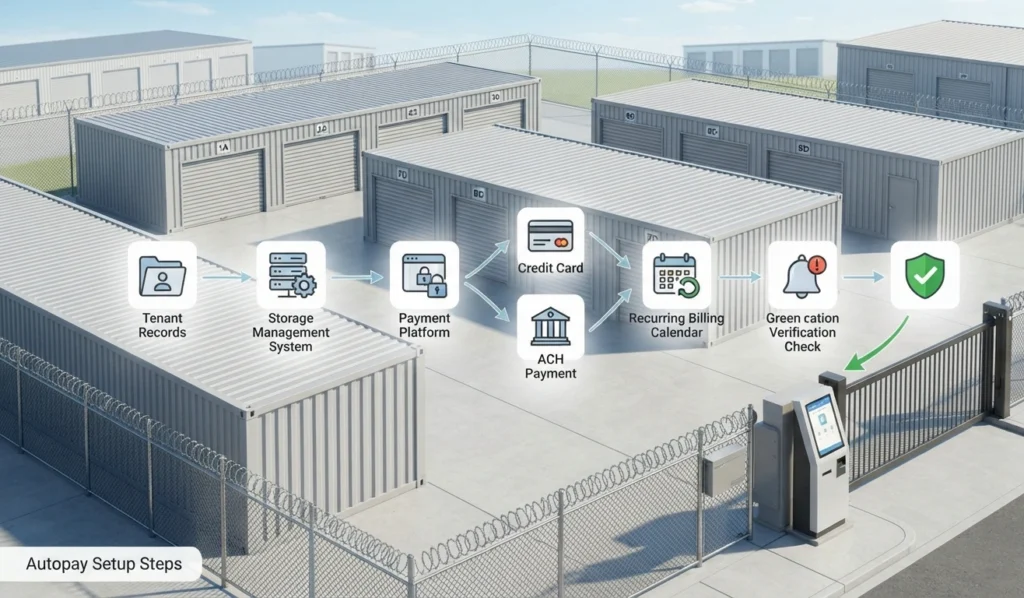
Step 1: Choose a Storage-Specific Payment Platform
Generic payment processors don’t understand storage billing cycles, unit types, or lien laws. Pick a platform built for the storage industry.
Look for these features:
- PCI-compliant payment processing
- Support for ACH and card payments
- Automatic retry logic for failed charges
- Tenant self-service portals
Step 2: Connect Your Management Software
Your billing tool needs to sync with your facility’s tenant records, unit inventory, and lease terms. This avoids double entry and billing mistakes.
A solid automated storage payment software near Sialkot and beyond setup pulls tenant data directly from your existing management platform. That way, rent amounts, due dates, and unit numbers stay accurate without manual updates.
Step 3: Collect Tenant Payment Information
Gather payment details during move-in, not after. This is the easiest time to get tenant buy-in.
Ask tenants to provide:
- Card number or bank routing/account number
- Billing zip code
- Authorization signature (digital or paper)
Step 4: Set Up Recurring Billing Rules
Define how and when charges happen. Most storage operators use one of two models:
- Fixed date billing: charges hit the same day every month (e.g., the 1st).
- Anniversary billing: charges hit on the tenant’s original move-in date.
Both work. Anniversary billing tends to reduce confusion since tenants remember their sign-up day.
Step 5: Enable Automatic Retry and Notifications
Cards expire. Accounts run low. Build a safety net.
- Set up 2-3 automatic retry attempts over 5-7 days
- Send SMS or email alerts before and after each charge
- Flag accounts after repeated failures for manual follow-up
Step 6: Test With a Small Tenant Group
Don’t flip the switch for your entire tenant base overnight. Run autopay with 10-15 tenants first.
Watch for:
- Failed transaction rates
- Tenant confusion or support tickets
- Sync errors between software and payment processor
Getting Tenant Buy-In for Autopay Enrollment
Not every tenant signs up right away. Some prefer control over their payments, even when it costs them late fees.
Here’s how facility owners boost enrollment:
- Offer a small discount (like $5 off) for autopay sign-up
- Make autopay the default option during online move-in
- Send a one-time reminder email to existing manual-pay tenants
- Explain that automated storage payment software for facility owners protects their unit access from late lockouts
Tenants who feel informed, not pressured, enroll faster and stay longer.
Protecting Your Facility During Autopay Transitions
Switching to autopay changes how you handle disputes and unit protection. Pair your billing system with clear tenant agreements.
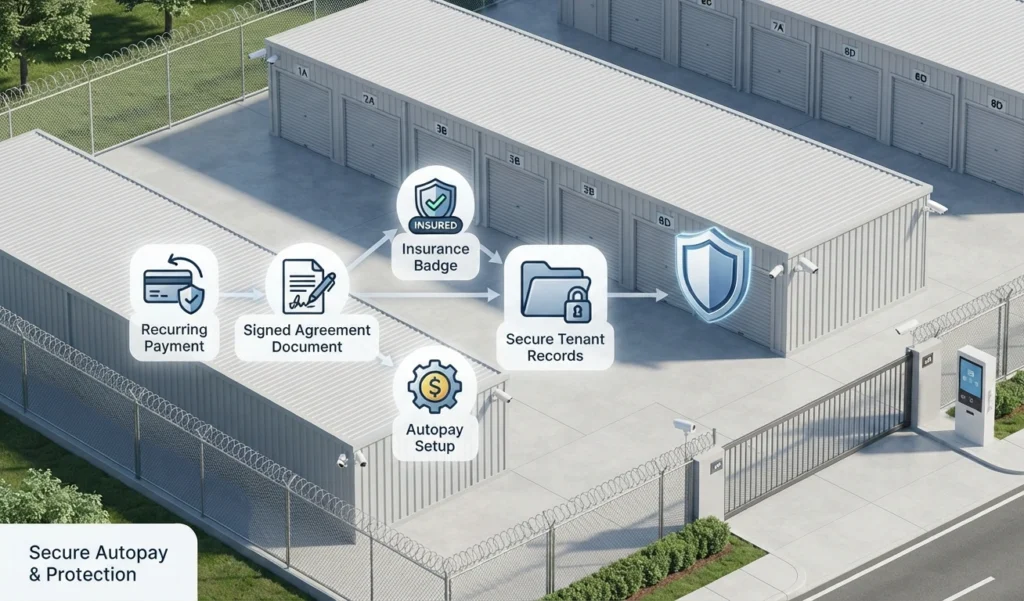
Many facilities bundle autopay setup with tenant protection plans to cover both payment and liability gaps in one workflow.
It also helps to review how you manage tenant insurance within your software, since insurance and payment records often live in the same tenant profile.
Common Autopay Setup Mistakes to Avoid
- Skipping the authorization step. Always get written or digital consent before charging any card.
- Ignoring failed payment notifications. A missed alert means a missed rent payment.
- Not updating expired cards. Build in a reminder system 30 days before card expiration dates.
- Overcomplicating enrollment. Keep the sign-up form under 2 minutes to complete.
Autopay for Self Storage Tenants: Compliance Basics
Storage facilities must follow payment processing rules tied to state lien laws and PCI standards.
- Never store raw card numbers on local servers
- Use tokenized payment storage through your software provider
- Keep signed authorization records for at least 3 years
- Follow your state’s notice requirements before applying late fees
FAQs
Is autopay safe for storage tenants to use?
Yes, autopay is safe when your facility uses PCI-compliant software. Tenant card data gets encrypted and tokenized, so raw numbers are never stored on open servers.
Can tenants cancel autopay whenever they want?
Yes, tenants should be able to cancel autopay through a self-service portal or by contacting the office. Most state laws require you to honor cancellation requests within a few business days.
What happens if an autopay charge fails?
The system usually retries the charge 2-3 times over the following week. If it keeps failing, staff get a flag to follow up manually before applying late fees.
How do I get existing tenants to switch to autopay?
Send a short email explaining the benefit, then offer a small incentive like a one-time discount. Make the enrollment form quick, ideally under two minutes.
Will autopay stop me from applying late fees?
No, autopay does not remove your right to apply late fees. If a charge fails and isn’t resolved within your grace period, standard late fee rules still apply.
Is there a monthly cost for autopay software?
Costs vary by provider, but most storage management platforms bundle autopay into their existing software fee. Some charge a small per-transaction processing fee instead.
Can I set up autopay without switching my entire management system?
Yes, some payment tools integrate directly with your current software through an API. This lets you add autopay without a full system overhaul.
What if a tenant’s card expires mid-lease?
Good software sends automatic reminders 30 days before expiration. Tenants can update their card details themselves through the portal without staff involvement.
Conclusion
Setting up autopay for self storage tenants takes six clear steps: pick the right platform, connect your software, collect payment details, set billing rules, enable retries, and test with a small group. Facilities that follow this process see fewer late payments and less staff time spent on collections. The upfront setup work pays off within the first billing cycle.
Start small, track your results, and expand autopay enrollment across your full tenant base once the system runs smoothly. Focus on tenant communication just as much as the technical setup. Good billing software handles the heavy lifting, but clear tenant instructions drive real adoption. Once both pieces are in place, rent collection becomes one less thing you have to manage by hand.

Leave a Reply