
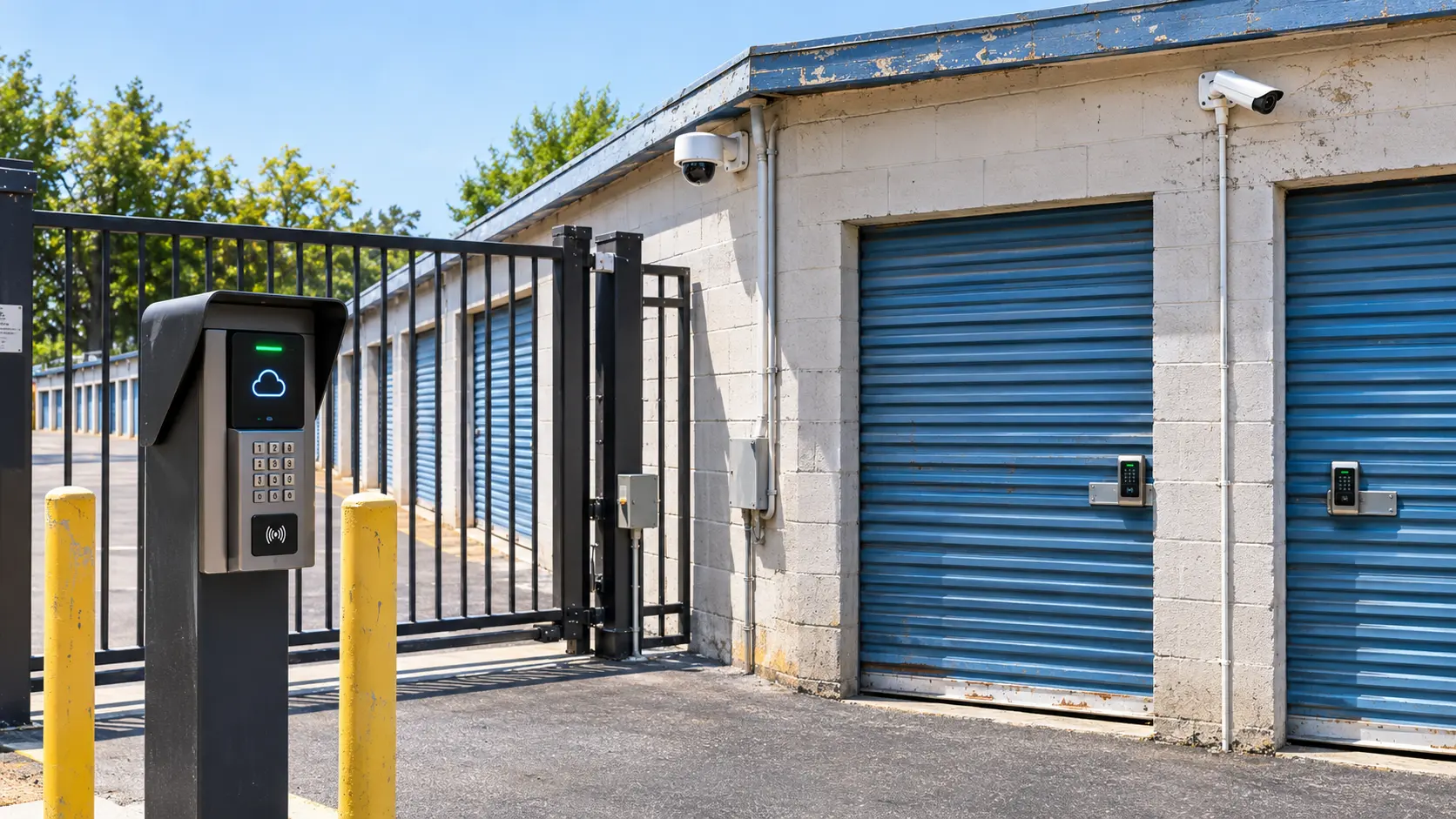
How Cloud-Based Access Systems Modernize Legacy Self-Storage Buildings?
Cloud-based access systems modernize legacy self-storage buildings by replacing mechanical locks, worn keypads, and paper gate logs with remote, software-driven control. Older sites often run on hardwired gate boxes that fail without warning. Owners can add smart locks, cloud gate controllers, and mobile unlock without tearing out walls. Most upgrades happen in phases, so the facility stays open the whole time.
Legacy buildings carry hidden costs, such as lost gate codes, manual overlocks, and support that only works onsite. A cloud setup moves those chores into one dashboard. Managers see every entry, change a code in seconds, and lock out late payers from a phone. This guide covers what changes, where the money goes, and how to roll it out.
Legacy vs. Cloud Access at a Glance
| Feature | Legacy Setup | Cloud Setup |
| Gate code changes | Onsite, manual entry | Remote, instant |
| Unit locks | Brass padlocks, tenant-owned | Smart locks with mobile or keypad unlock |
| Move-in process | Office visit, paper lease | Contactless rental, online lease signing |
| Delinquency control | Manager walks the property to overlock | Automated lockout tied to payment status |
| Entry records | Spreadsheet or none | Time-stamped audit logs |
| Remote management | Not possible | Full dashboard from any device |
| Staffing needs | Office hours required | Unmanned or low-staff operation |
| Software link | Standalone gate box | Integrated with property management software |
| Failure recovery | Onsite repair visit | Cloud backup and remote reboot |
| Upgrade path | Replace hardware | Firmware and software updates |
Legacy Access Problems
Old buildings rarely fail in one big way. They bleed money through small, daily problems.
- Shared or stale gate codes: Former tenants keep working codes for months.
- Manual overlocks: Staff walk the property with bolt cutters and a list.
- Dead keypads: Weather and age cause failures that nobody sees until a tenant calls.
- No audit trail: After a theft claim, there is no entry log to check.
- After-hours blind spots: Nobody can fix a stuck gate at 9 p.m.
Each issue costs staff time, tenant trust, or both.
Why Cloud-Based Access Systems Fit Older Buildings
Older sites have thick walls, long cable runs, and mixed hardware. A cloud approach works around those limits.
Retrofit Without Rewiring
Many controllers connect over Wi-Fi, LTE, or a single Ethernet drop. Battery-powered smart locks need no wiring at all. That makes them a fit for concrete block and multi-story conversions.
Hardware Stays, Control Moves
Existing gate operators and keypads can often stay in place. The cloud controller sits between them and the software. You upgrade the brain first and swap hardware later.
Core Components
A modern setup has four parts. Each one solves a different legacy gap.
- Cloud gate controller: Handles entry codes, schedules, and gate status.
- Smart unit locks: Bluetooth or keypad locks that replace padlocks.
- Mobile app: Lets tenants unlock their unit and gate with a phone.
- Kiosk or online portal: Supports self-service rentals and payments.
Add IP cameras and you get video tied to each entry event. That pairing speeds up any incident review.
Software Integration
Access hardware only pays off when it talks to your billing data. That link is what turns a gate into a revenue tool.
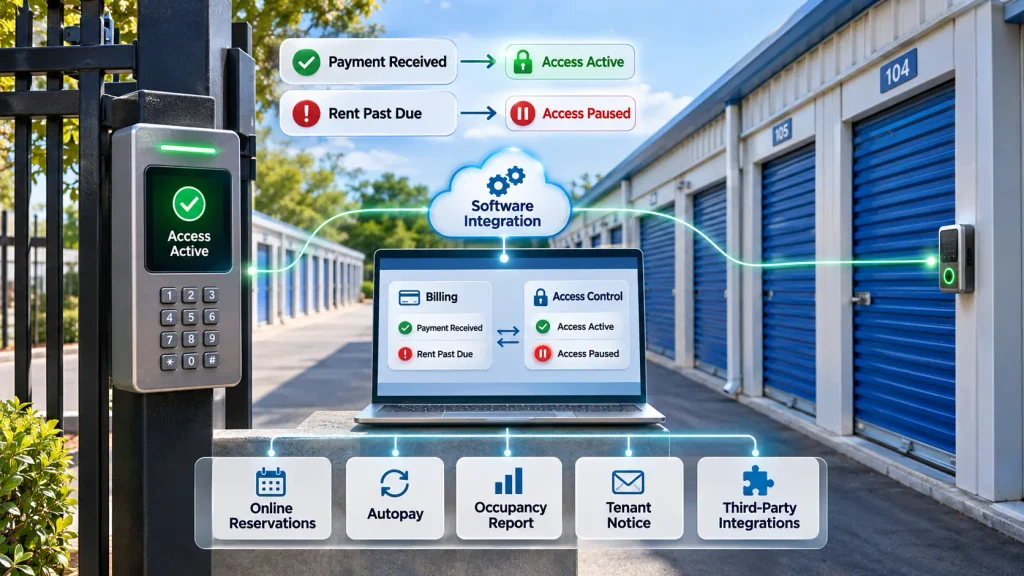
Pairing cloud-based access systems for local storage facilities with a full management platform lets payment status control entry. When a tenant pays, the code activates. When rent lapses, access pauses on its own.
Good platforms also handle:
- Online reservations and contactless move-ins
- Autopay and failed-payment retries
- Real-time occupancy and revenue reports
- Automated tenant notices by text and email
- Open APIs for third-party tools
If you are comparing platforms, review examples of storage software to see how different vendors handle gate and lock integrations.
Security and Compliance
Cloud control improves security, but only if you set it up well.
- Unique codes per tenant: Never reuse or share a code.
- Audit logs: Keep entry records for dispute and insurance reviews.
- Role-based permissions: Limit who can change codes or override locks.
- Encrypted connections: Choose vendors that encrypt traffic between lock, gate, and cloud.
- Battery alerts: Get warnings before a smart lock dies.
Insurers often view logged, camera-backed access favorably. Ask your carrier before you assume a discount.
Retrofit Roadmap
A phased plan keeps risk low and tenants happy.
- Audit the site. Map gates, doors, cabling, and signal strength.
- Pick the software first. Hardware must match your management platform.
- Test the network. Confirm reliable internet at the gate and the farthest buildings.
- Pilot one building. Install smart locks on a single wing and watch for issues.
- Migrate tenant data. Import codes, contact details, and payment status.
- Train staff. Cover overrides, lockouts, and alert handling.
- Roll out in phases. Move building by building, then retire old padlocks.
- Review monthly. Check logs, failed unlocks, and tenant feedback.
Cost and ROI
Costs come from controllers, locks, installation, and a monthly software fee. Savings come from fewer staff hours, faster collections, and higher online conversions.
Many owners see payback within the first few years, depending on unit count and labor costs. A clear method for calculating ROI on self-storage automation keeps the budget honest. Pricing also varies widely, so check which self-storage software has the best prices before you sign a contract.
Common Mistakes
Most failed upgrades come from planning gaps, not bad products.
- Buying cloud-based access systems before testing the site’s internet signal
- Choosing hardware that does not integrate with current billing software
- Skipping staff training on manual overrides
- Replacing every lock at once instead of piloting
- Ignoring tenant communication during the switch
A short notice and a how-to video cut support calls sharply.
FAQs
Can I add smart access to a building with no existing wiring?
Yes. Battery-powered smart locks and LTE gate controllers need no new cabling. A basic signal test at each building confirms they will work.
Do tenants need a smartphone to use smart locks?
No. Most smart locks also work with a keypad code. Phone unlocking is an extra option, not a requirement.
What happens to access if the internet goes down?
Most controllers store codes locally and keep working. They sync again once the connection returns. Ask your vendor about offline mode before buying.
Is a cloud-based system safe from hackers?
It can be, if the vendor encrypts data and you use strong admin passwords. Turn on two-factor login for staff accounts. Limit who can change codes or override locks.
Can I run a facility with no onsite manager?
Yes, in many cases. Online rentals, kiosks, and remote gate control support unmanned operation. Local rules and insurance terms may still require periodic site visits.
Will my current gate keypad still work?
Often, yes. Many cloud controllers connect to existing keypads and gate operators. Your installer can confirm compatibility during the site audit.
How long does a retrofit take?
A small site can finish in days. Larger properties usually take several weeks when done in phases. A one-building pilot helps set a realistic timeline.
How do cloud systems help with delinquent tenants?
They link payment status to entry. When rent goes unpaid, the code or lock can deactivate on its own. That removes manual overlocking and speeds up collections.
Do I need new management software to use cloud access?
Not always, but integration matters. Some vendors connect with several platforms through open APIs. Confirm the link before you buy any hardware.
Conclusion
Legacy buildings do not need a full rebuild to compete with newer sites. Start with a site audit, choose software that links billing to entry, and pilot one building before a full rollout. Smart locks, cloud gate control, and audit logs remove the daily friction that drains older facilities.
Owners who want one dashboard for rentals, payments, and entry should review cloud-based access systems for neighborhood storage operators as part of their next software decision. You can also see the full platform at 6Storage. Pick a phased plan, track results monthly, and adjust as tenant habits change. Small, steady upgrades turn an aging property into a modern, low-touch business.

Leave a Reply