
Self-Storage Cyber Security: Protecting Tenant Data & Payment Logs
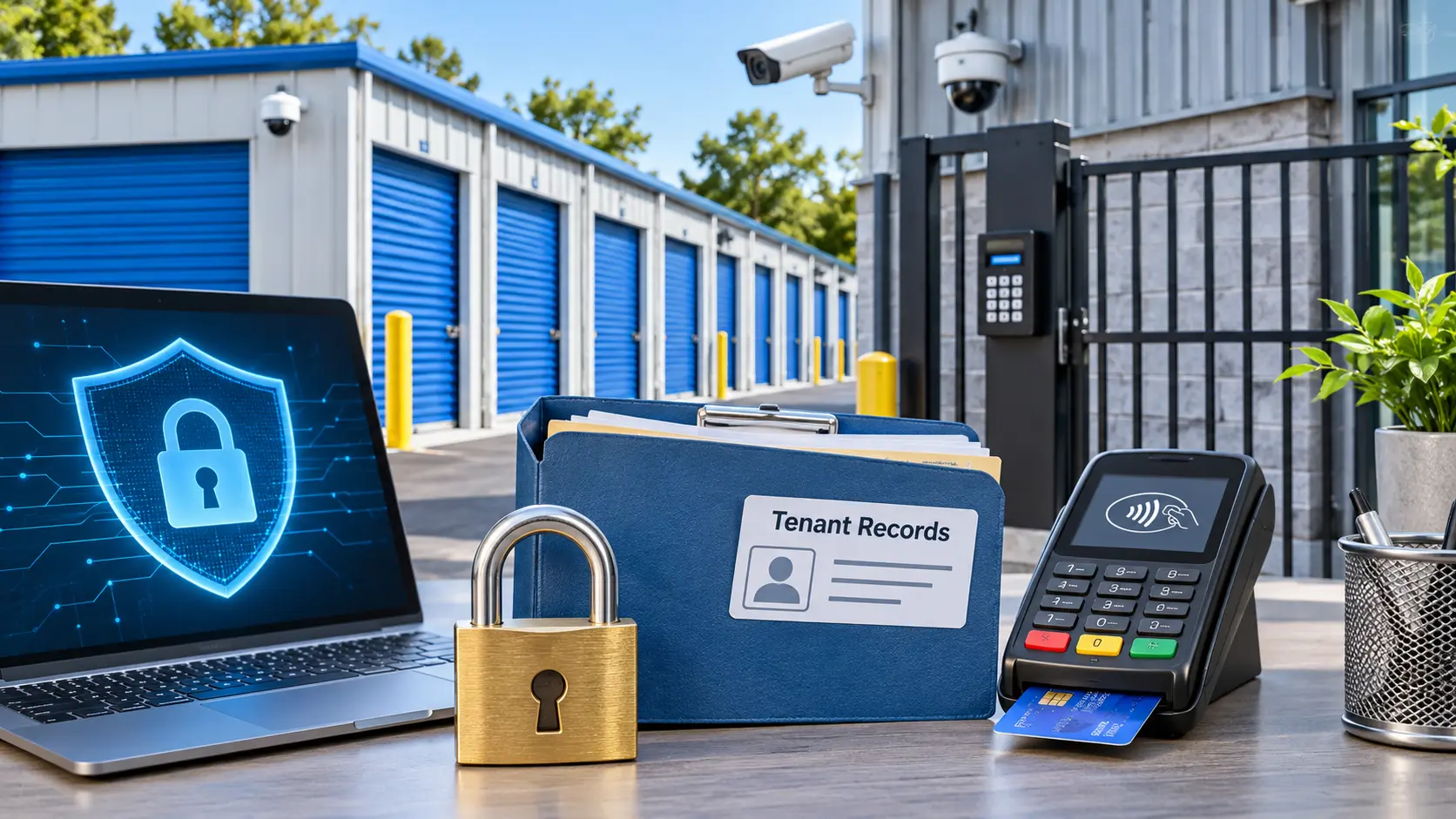
Self-Storage Cyber Security means locking down tenant records, card payments, and gate systems with encryption, access controls, and monitored software. Most facilities hold names, addresses, ID scans, and card details in one place. That makes a small storage business an easy target for hackers. A single breach can cost fines, lost tenants, and months of cleanup.
Most attacks do not need advanced skills. They start with a reused password, an unpatched gate controller, or a phishing email sent to a manager. The good news is that a few repeatable habits stop most of them. This guide gives you a clear plan for protecting tenant data and payment logs.
Quick Risk Matrix for Facility Owners
| Threat | Where It Hits | Best Defense | Priority |
| Phishing emails | Office staff, managers | Staff training, email filters | High |
| Ransomware | Local office computers | Cloud backups, patching | High |
| Stolen card data | Payment logs, kiosks | Tokenization, PCI DSS tools | Critical |
| Weak passwords | Software logins | Multi factor authentication | Critical |
| Gate controller hacks | Keypads, access panels | Network separation, updates | High |
| Insider misuse | Admin accounts | Role based permissions, audit logs | Medium |
| Camera feed exposure | IP cameras | Encrypted streams, strong credentials | Medium |
Why Storage Operators Get Targeted
Storage facilities run lean teams. Many sites have one manager and no IT person. Attackers know this.
Your systems also hold valuable data in bulk:
- Tenant names, phone numbers, and home addresses
- Driver license scans and rental agreements
- Card numbers, bank details, and autopay records
- Gate codes and unit access history
Auction notices and lien files add legal records to the mix. Criminals sell this data or use it for identity fraud. A leaked gate code can also lead to physical theft.
Tenant Data That Needs Protection
Personal Records
Collect only what you need. If you do not need a full ID scan, do not store one. Less stored data means less to lose.
Encrypt files at rest and in transit. Limit who can open tenant profiles. Delete old records once the law allows.
Payment Logs
Payment logs show card activity, refund history, and autopay changes. They are a top target because they lead straight to money.
Never store full card numbers in spreadsheets or email. Use tokenization so your software keeps a safe placeholder instead. Review logs weekly for odd refunds or failed charge spikes.
Self-Storage Cyber Security Checklist for Facility Owners
Follow these steps in order. Each one builds on the last.
- Turn on multi factor authentication for every software login.
- Give each employee a personal account. Never share logins.
- Set role based permissions so staff see only what they need.
- Patch office computers, routers, and gate controllers monthly.
- Back up tenant data to an encrypted cloud location.
- Train staff to spot phishing every quarter.
- Review audit logs for strange logins or exports.
- Remove access the same day an employee leaves.
This list covers most real world risks. Strong Self-Storage Cyber Security starts with habits, not expensive tools.
Payment Compliance Basics
Card payments fall under PCI DSS, the standard set by the major card brands. Any facility that takes cards must follow it. Fines and processing bans apply to violators.
Here is how to stay compliant without a large budget:
- Use a processor that handles card data for you
- Keep card readers and kiosks on a separate network
- Never write down card numbers at the front desk
- Run an annual self assessment questionnaire
- Keep proof of every security check you complete
Privacy laws such as CCPA add rules on how you store and delete tenant data. Check your state rules before you set a retention schedule.
Software Features That Reduce Risk
Your management platform is the center of your data. Choose it with security in mind. Modern secure self storage management software for regional operators should include encryption, login controls, and activity tracking by default.
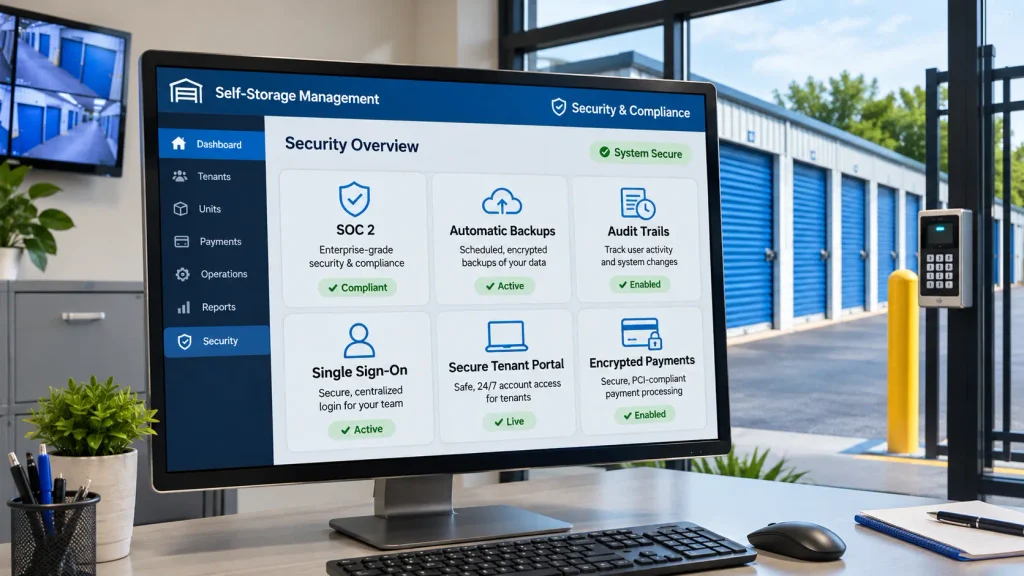
Look for these features:
- SOC 2 reports from the vendor
- Automatic data backups
- Detailed audit trails
- Single sign on options
- A secure tenant portal with strong login rules
- Encrypted online payments and autopay
Price should not be your only filter. A cheap tool with weak protection costs far more after a breach. This self storage software pricing comparison helps you weigh cost against included security.
Real examples help too. Reviewing examples of storage software shows how different platforms handle permissions and payments.
Gate, Camera, and Network Protection
Your digital systems connect to physical doors. A hacked gate system lets thieves walk in.
Put gate controllers, cameras, and kiosks on their own network. Keep them away from the office computer that checks email. Change every default password on day one.
Older buildings carry extra risk because old keypads rarely get updates. Learning how cloud based access systems modernize legacy self storage buildings shows how remote updates and encrypted unit access close those gaps.
Vendor Vetting Steps
Every vendor you add is another door into your data. Check them before signing.
Ask each vendor:
- Where is tenant data stored?
- Who can view it?
- How fast do you report a breach?
- Do you carry cyber insurance?
- Can I export or delete my data on request?
Put the answers in writing. A vendor who dodges these questions is a warning sign. Good Self-Storage Cyber Security extends past your own office to every tool you connect.
Incident Response Plan
Plan before something goes wrong. A written plan cuts panic and speeds recovery.
Keep it short and simple:
- Disconnect affected devices from the network.
- Change all admin passwords.
- Call your software vendor and payment processor.
- Record what happened, with times and details.
- Notify affected tenants as your state law requires.
- Restore from clean backups.
- Review what failed and fix it.
Print the plan and store a copy off site. Practice it once a year with your team. Pairing the plan with the right self storage software for your local market gives you built in logs and backups that make recovery faster. Teams at 6Storage build their tools around these safeguards.
FAQs
Is self storage a target for cyber attacks?
Yes, storage facilities are a common target. They hold personal records and card data but often lack dedicated IT staff. Attackers look for easy entry points like weak passwords.
Do I need to be PCI compliant to accept card payments?
Yes, any business that accepts cards must follow PCI DSS. Using a compliant processor and tokenization shrinks your workload. You still need to complete a yearly self assessment.
Can hackers open my storage gates remotely?
Yes, if gate controllers use default passwords or sit on an open network. Change credentials, apply updates, and isolate the gate system. This blocks most remote attempts.
Is cloud based storage software safer than on premise software?
Yes, in most cases. Reputable cloud vendors run encryption, backups, and constant monitoring that small offices rarely match. Check for SOC 2 reports before you choose one.
How often should I back up tenant data?
Back up daily at minimum. Automatic cloud backups work best because they do not rely on staff memory. Test a restore every quarter to confirm the files work.
Should I store tenant ID scans?
No, not unless your state law or insurance requires it. Stored ID scans raise your risk if a breach happens. If you must keep them, encrypt them and set a deletion date.
What should I do first after a data breach?
Disconnect affected devices and change all admin passwords right away. Then contact your software vendor, processor, and legal advisor. Notify tenants within the time your state requires.
Does cyber insurance cover storage facilities?
Yes, many insurers offer cyber policies for small businesses. Coverage often includes breach response, legal fees, and lost income. Read the exclusions closely, since some require specific security controls.
Can employees cause a data breach by accident?
Yes, careless clicks on phishing links cause many breaches. Regular training and role based permissions limit the damage. Remove access the day someone leaves the team.
Conclusion
Protecting tenant data comes down to a few strong habits. Use multi factor logins, limit staff access, and encrypt everything you store. Keep payment systems separate and compliant with PCI DSS. Back up often and test your restores.
Self-Storage Cyber Security is not a one time project. Review your risks every quarter and update your checklist as new threats appear. Train every new hire on day one. Small, steady actions protect your tenants, your revenue, and your reputation.

Leave a Reply