

What Are the Top Tools for Managing Multiple Storage Facility Websites?
The best tools for managing multiple storage facility websites combine centralized dashboards, unified booking systems, and shared content management so owners can control every location from one login. Running several self storage properties means juggling different web pages, local listings, and online rental forms at once. Without the right tools for managing multiple storage facility websites, owners waste hours updating each site by hand and often lose leads to slow response times.
This guide breaks down the exact software categories, features, and setup steps that multi facility operators need in 2026.
Quick Comparison Of Top Management Tools
| Tool Category | Best For | Key Feature | Price Range |
| Storage Management Software | Daily operations across sites | Unified dashboard and online rentals | $99 to $399/month |
| Website Builder Platforms | Multi location page control | Centralized content editing | $30 to $150/month |
| Local SEO Tools | Location page rankings | Bulk listing management | $50 to $200/month |
| CRM and Lead Tools | Tenant communication | Automated follow ups | $40 to $180/month |
| Payment Gateways | Online rent collection | Multi site billing sync | 2.5% to 3.5% per transaction |
Why Managing Multiple Storage Websites Gets Complicated
Owners with three or more locations face a unique problem. Each facility needs its own local page, unit pricing, and contact details. But updating all of that manually across separate sites invites errors.
A price change at one property often gets missed on another. Staff end up copying content from site to site, which wastes time and hurts consistency. This is exactly where dedicated software steps in.
Core Features To Look For In Storage Facility Tools
Not every platform fits a multi-site operation. Before picking a system, check for these must-have features.
- Centralized dashboard for all locations
- Bulk edit tools for pricing and unit availability
- Automated online rental and reservation flow
- Built in local SEO fields for each facility page
- Mobile friendly tenant portals
- Integrated payment processing across sites
These features cut manual work and keep every location page accurate. Owners planning a new site should also review what it actually costs to run a facility, since software budgets tie directly into overall operating expenses like self storage unit costs.
Best Tools For Managing Multiple Storage Facility Websites
Choosing the right stack depends on how many locations you run and how much control you want over branding. Below are the categories that matter most.
Storage Management Software
This is the backbone of any multi facility operation. It handles unit tracking, billing, gate access, and tenant communication from a single login.
Good platforms let you switch between locations without logging out or re entering data. Many owners compare examples of storage software before picking one, since features vary a lot between vendors.
Website And Landing Page Builders
Each facility needs its own local page with an address, photos, and unit sizes. A builder that supports templates across locations saves serious time.
Look for platforms where one content update pushes to every site instantly. This avoids the copy paste errors that happen with separate standalone websites.
Local SEO And Listing Management Tools
Ranking each location page for local searches takes more than a website. Owners need tools that sync business listings across Google, Bing, and other directories at once.
- Bulk update NAP (name, address, phone) data
- Auto generate location specific landing pages
- Track keyword rankings by city or neighborhood
- Manage reviews from one central inbox
Tenant Communication And CRM Systems
Multi site owners cannot answer every call personally. A CRM automates lead follow ups, sends rental reminders, and routes inquiries to the right property manager.
This keeps response times fast even when managing storage locations spread across different cities or states near you.
Tools For Managing Multiple Storage Facility Websites In Growing Companies
Scaling from one facility to five or more changes what software you need. Small operators often start with basic booking tools. Larger companies need role based access, so regional managers only see their assigned sites.
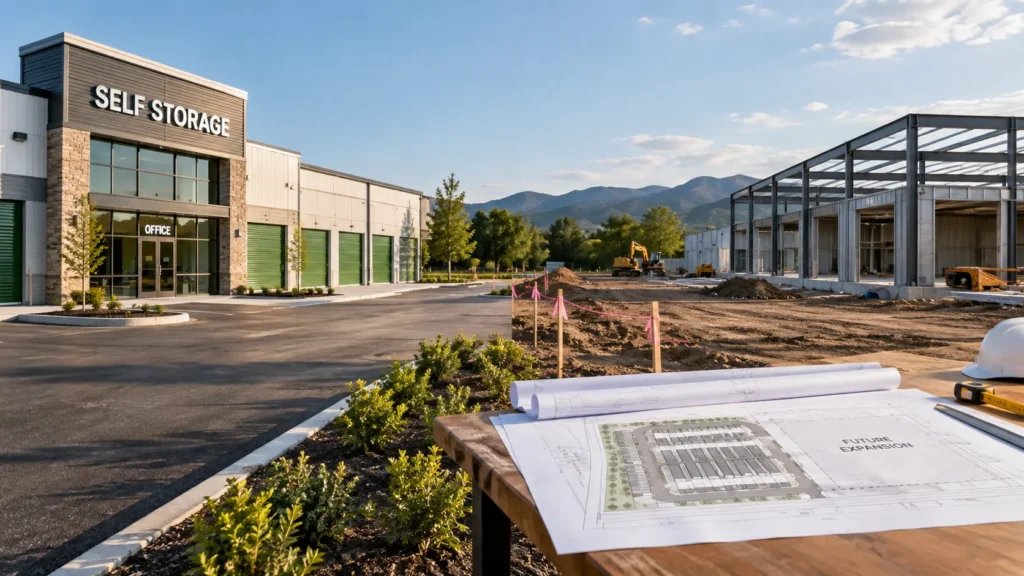
The right tools for managing multiple storage facility websites should grow with the business instead of requiring a full platform switch later. This matters most for owners planning new builds, since site selection and software setup often happen together during construction of a new storage facility.
Self Managed Software Vs Third Party Management
Some owners hire a third party company to run their facility websites and operations. Others prefer software they control directly.
Third party management reduces daily workload but comes with ongoing fees and less branding control. Self managed software costs less over time and gives owners full access to their data, though it does require more hands on setup at first. A full breakdown of the difference between third party management and self managed software can help owners decide which route fits their goals.
How To Set Up Software Across Multiple Locations
Rolling out new software across several facilities works best in stages.
- Audit each current website for pricing and content gaps
- Pick one platform that supports multi location dashboards
- Migrate one facility first as a test site
- Standardize templates for unit listings and photos
- Train staff on the shared dashboard
- Roll out to remaining locations over two to four weeks
- Monitor local search rankings monthly after launch
Budgeting For Multi Facility Software
Cost varies a lot based on how many sites you run and which features you add on. New owners especially need to plan ahead, since software is an ongoing operating cost, not a one time purchase.
Many first time operators underestimate this line item. Reviewing what similar businesses spend, such as this guide on software costs for new storage owners, helps set realistic expectations before signing any contract.
Common Mistakes Owners Make With Multi Site Tools
- Using separate logins for each facility instead of one dashboard
- Ignoring mobile optimization on location pages
- Skipping local SEO fields during setup
- Failing to sync pricing updates across all sites
- Choosing a platform without checking integration options
Avoiding these mistakes early saves hours of cleanup work later.
FAQs
Do I need different software for each storage facility location?
No, most modern storage management platforms support unlimited locations under one account. This lets owners manage pricing, tenants, and billing from a single dashboard instead of separate logins.
How much does multi location storage software cost?
Pricing typically ranges from $99 to $399 per month depending on the number of units and locations managed. Some vendors charge per facility, while others offer flat multi site plans.
Can one website manage multiple storage facility locations?
Yes, many website builders support location specific pages under one main domain. Each page can show unique pricing, photos, and contact details while sharing the same backend system.
What is the easiest way to update pricing across several storage sites at once?
Bulk edit tools inside storage management software let owners change pricing for multiple locations in one action. This removes the need to log into each site separately.
Does local SEO matter for each storage facility page?
Yes, each location needs its own optimized page to rank in local search results. Search engines treat each facility as a separate business listing based on address and service area.
How do I switch from separate websites to one unified system?
Start by migrating one facility as a test case before moving the rest. Map out existing content, pricing, and photos first so nothing gets lost during the transfer.
Is third party management better than self managed software for multiple locations?
It depends on your budget and how much control you want. Third party management costs more over time but requires less daily involvement from the owner.
What features should a CRM have for multi facility storage businesses?
Look for automated lead follow up, centralized inbox, and role based access for different property managers. This keeps communication fast even across several cities.
How long does it take to roll out new software across multiple facilities?
Most rollouts take two to four weeks depending on the number of locations and how much data needs migrating. Testing one site first speeds up the process for the rest.
Conclusion
Picking the right tools for managing multiple storage facility websites comes down to centralization, automation, and local search visibility. Owners who invest in a unified dashboard save time on daily tasks and avoid the pricing errors that come from manual updates across separate sites.
Start by auditing your current setup, then migrate one facility at a time to test the platform before a full rollout. As your portfolio grows, choose software built to scale so you never have to switch systems mid expansion.

Leave a Reply