
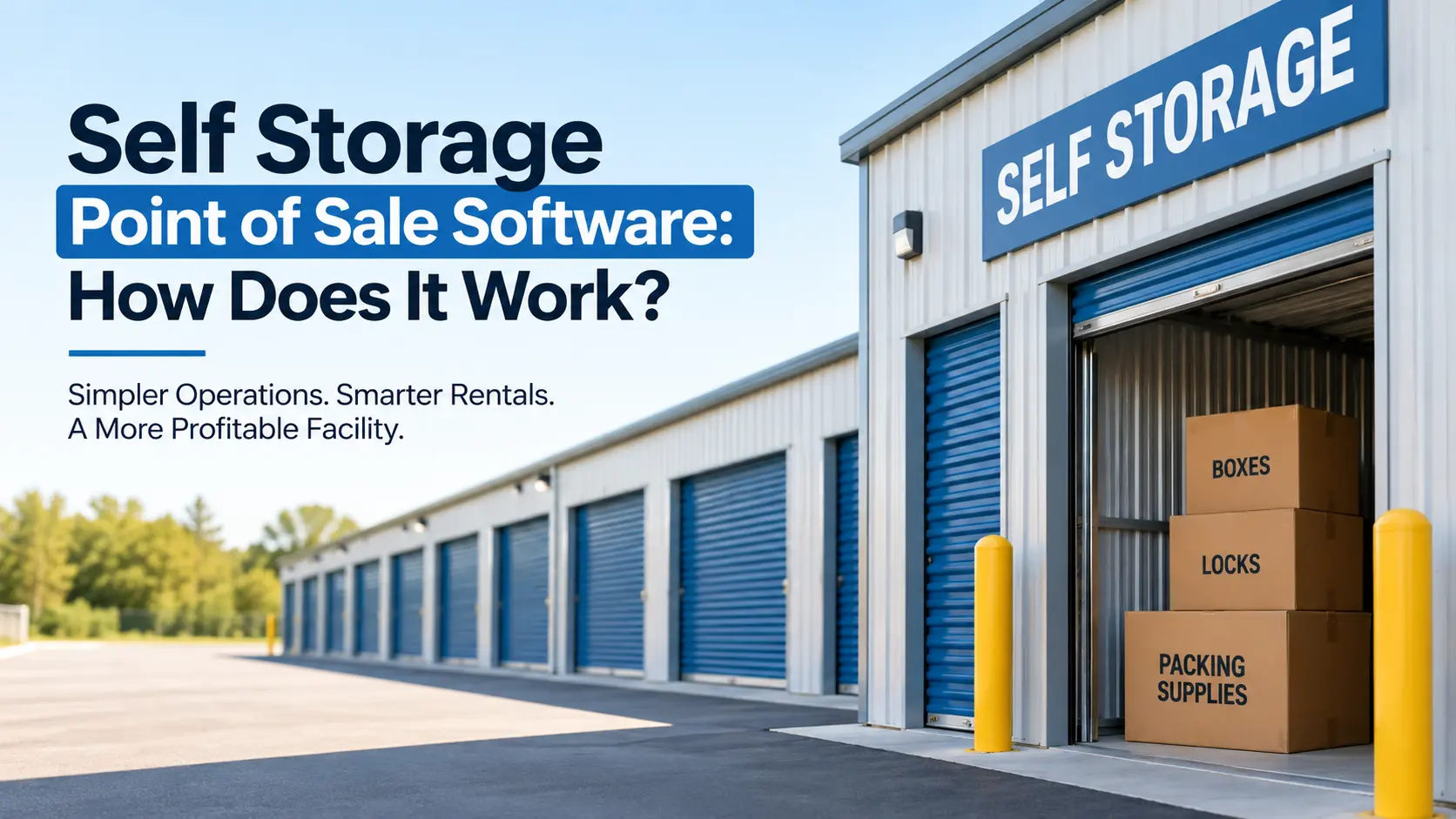
Self Storage Point of Sale Software: How Does It Work?
Self storage point of sale software works by connecting your front desk, your online rental portal, and your payment processor into one system so every sale, deposit, and unit rental gets recorded automatically. Facility owners no longer need to juggle a separate card reader, a paper ledger, and a spreadsheet just to close one sale. The right self storage point of sale software also tracks retail items like boxes, locks, and packing supplies alongside unit rentals.
This guide breaks down exactly how this technology functions behind the scenes. You will also see what features actually matter, how pricing compares across providers, and which questions real facility owners ask before buying.
Quick Comparison Of Core POS Functions
| Function | What It Does | Owner Benefit |
| Unit rental processing | Rents units and generates leases instantly | Cuts move in time to under 5 minutes |
| Payment capture | Accepts card, ACH, and cash payments | Reduces missed or late payments |
| Retail inventory | Sells boxes, tape, and locks at checkout | Adds extra revenue per visit |
| Auto billing | Charges tenants on a set schedule | Removes manual invoice work |
| Reporting dashboard | Tracks daily sales and occupancy | Gives owners real time visibility |
| Online integration | Syncs with your website booking widget | Captures leads outside office hours |
What Self Storage Point Of Sale Software Actually Does
At its core, this software replaces the manual checkout process with one digital workflow. A tenant walks in, picks a unit, and the system handles the rest.
The process usually looks like this:
- Staff selects an available unit inside the software.
- The system pulls up a lease template automatically.
- The tenant signs digitally on a tablet or screen.
- Payment gets captured through an integrated card reader.
- A receipt and confirmation email get sent instantly.
This same flow applies to online rentals too. A renter can complete every one of these steps from their phone without ever calling the office.
Why Facility Owners Are Switching From Manual Systems
Old school storage offices often ran on cash registers and separate merchant accounts. That setup created gaps between what staff recorded and what actually got deposited in the bank.
Modern point of sale tools close that gap completely. Every transaction ties directly to a tenant profile, a unit number, and a payment record.
Owners who understand the full range of options available today often compare platforms using resources like examples of storage software before picking one system to standardize on.
Common Pain Points It Solves
- Missed payments from manual tracking errors
- Double booked units during shift changes
- Lost retail sales data at month end
- Slow checkout lines during peak hours
- Inconsistent pricing across staff members
Core Features To Look For
Not every POS tool built for storage facilities offers the same depth. Some are stripped down. Others cover the entire tenant lifecycle.
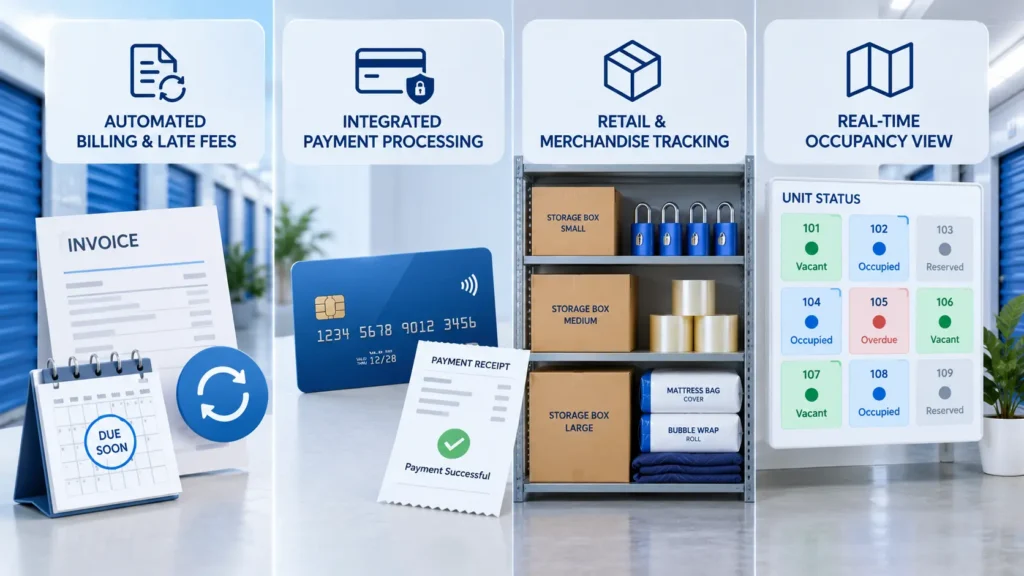
Automated Billing And Late Fees
The software should charge tenants automatically on their due date. It should also apply late fees without staff needing to calculate anything by hand.
Integrated Payment Processing
Card payments, ACH transfers, and even cash logs should live inside one dashboard. This keeps your books accurate without a second reconciliation step.
Retail And Merchandise Tracking
Boxes, locks, mattress covers, and tape rolls sell alongside units. Good software tracks stock levels so you never run out during a rush.
Real Time Occupancy View
Staff should see which units are vacant, reserved, or overdue in one screen. This avoids the awkward moment of renting a unit that is already taken.
Self Storage Point Of Sale Software For Small And Growing Facilities
Smaller operators often assume this kind of software only fits large multi site companies. That assumption is wrong.
A single site owner benefits just as much from automated checkout, especially if they run the office alone. Fewer manual steps means fewer chances for costly mistakes.
Growing facilities eventually need software that scales with them too. A self storage point of sale software for facilities near you setup should support one location today and ten locations later without switching platforms.
How Pricing Usually Works
Most providers price this software per unit, per month, or as a flat facility fee. Add ons like extra payment gateways or SMS reminders sometimes cost more.
Before signing a contract, owners should understand the full pricing landscape. A breakdown like how much self storage software costs for new owners helps set realistic budget expectations early.
Typical pricing structures include:
- Per unit monthly fee, common for facilities under 500 units
- Flat monthly rate, common for larger operations
- Tiered plans based on feature access
- One time setup or onboarding charges
Choosing Between Software And Third Party Management
Some owners weigh handling operations themselves against hiring outside management. This decision changes what kind of POS setup makes sense.
A detailed comparison of third party self storage management solutions versus software shows how control, cost, and daily involvement shift between the two paths. Owners running things themselves usually need more robust point of sale tools since there is no outside team handling checkout.
Connecting POS Software To Your Facility Growth Plans
Point of sale software is not just a checkout tool. It also shapes how you plan expansion and manage multiple properties.
Owners building a new facility from the ground up should factor software needs into early planning stages. A resource on how to build a storage facility covers this groundwork in detail, including where technology fits into construction budgets.
Multi site operators face a different challenge entirely. Managing several facility websites, each with its own booking widget and payment flow, gets complicated fast. Tools built for managing multiple storage facility websites solve this by centralizing bookings across every location into one backend.
Understanding Unit Pricing Before You Set Up POS
Your POS system is only as good as the pricing data you feed it. Owners should have a clear grasp of current market rates before configuring rental tiers.
Reviewing typical self storage unit costs across different unit sizes helps you set competitive rates from day one. This prevents underpricing units or scaring off renters with rates too far above market average.
Setting Up The Software At Your Facility
Implementation usually takes a few days, not weeks. Most providers walk you through data migration and staff training as part of onboarding.
A typical rollout follows these steps:
- Import existing tenant and unit data.
- Connect a payment processor to the system.
- Set up automated billing schedules and late fee rules.
- Train staff on the checkout and lease signing flow.
- Test the online booking widget before going live.
FAQs
Does self storage software include a POS system by default?
No, not always. Some platforms sell POS as an add on module, so check this before signing up.
Can I use my existing card reader with new storage software?
Yes, many providers support common card reader hardware, but always confirm compatibility with your specific model first.
How long does it take staff to learn a new POS system?
Most staff get comfortable within a single shift, since modern interfaces are built to mirror simple checkout flows.
Is cloud based POS software safe for storing payment data?
Yes, reputable providers use PCI compliant encryption, meaning card data never sits unprotected on a local device.
What happens if the internet goes down during checkout?
Most systems offer an offline mode that queues transactions and syncs once connection returns, so sales are not lost.
Do I need separate software for online rentals and in person checkout?
No, quality platforms unify both channels so a rental started online can be completed or adjusted in person without duplicate data entry.
Can POS software handle multiple tax rates across locations?
Yes, this is standard for multi-site operators, since tax rules often differ by city or state within one company.
Will switching POS providers cause me to lose old tenant records?
No, most reputable providers offer data migration support to move tenant history over without gaps.
How much does implementation typically cost beyond monthly fees?
This varies widely, but many providers waive setup fees during promotional periods, so it is worth asking directly before signing.
Conclusion
Picking the right platform comes down to matching features to your actual daily operations. A facility running one location needs different depth than one managing ten.
Focus on systems that combine leasing, payments, and retail sales in a single dashboard. This is exactly where reliable self storage point of sale software earns back its cost through saved staff hours and fewer billing errors.
Test any platform with a free trial before committing to a contract. Ask about integration support, since a system that does not sync with your existing website booking tool creates more work, not less. The best choice always fits your current team size while leaving room to grow.

Leave a Reply